Tripo to VRM — from a Tripo character to a talking avatar
Tripo turns a prompt or a picture into a textured character and will rig it for you too. What it hands back has a body that moves and a face that does not: no mouth shapes, no blink.
To turn a Tripo character into a VRM: export it as GLB, with Tripo's rig or without, and upload the GLB to Riggle. About a minute later you get a VRM 1.0 that talks, blinks and emotes - five mouth shapes for lip sync, blinks and three emotions - plus a video of every expression to watch before you pay. No Blender or Unity is involved. Uploading and previews are free; the download costs 10 tokens, and the free plan includes 10 tokens a month. The biggest quality factor is generating the character with its mouth open.
Generate with the mouth open
This is the decision that matters most, and it is made before you rig anything. A Tripo character generated with its mouth open gives the most natural mouth shapes: when the avatar says aa, you see real teeth and depth behind the lips.
A character generated with closed lips still converts and still talks, but its mouth movement is softer. So ask for an open mouth in the prompt - or, if you start from an image, use a reference where the mouth is clearly open. The AI image to VRM guide has a reference prompt that works on the first try.
Step 1 - export a GLB from Tripo (rigging optional)
Generate and texture the character. A full-body figure, standing straight with the arms away from the body, gives the best result. If you rig it in Tripo, export the GLB with the rig included. If you skip rigging, export the plain GLB: Riggle adds a skeleton to a model that arrives without one.
Which should you pick? With Tripo's rig, your avatar keeps the skeleton Tripo fitted. Without it, Riggle adds one and you check it on a front view; that skeleton covers the body and limbs, but not fingers or toes.
An animation left in the file, the size and the direction the character faces do not matter. A Tripo model that arrives sideways or at an odd size still comes out standing upright, facing forward, at human height.
Step 2 - upload and preview
Upload the .glb (up to 100 MB). A rigged Tripo export works as it is - nothing to rename. Riggle shows you your model's face and asks you to point out the mouth and eyes - a few clicks.
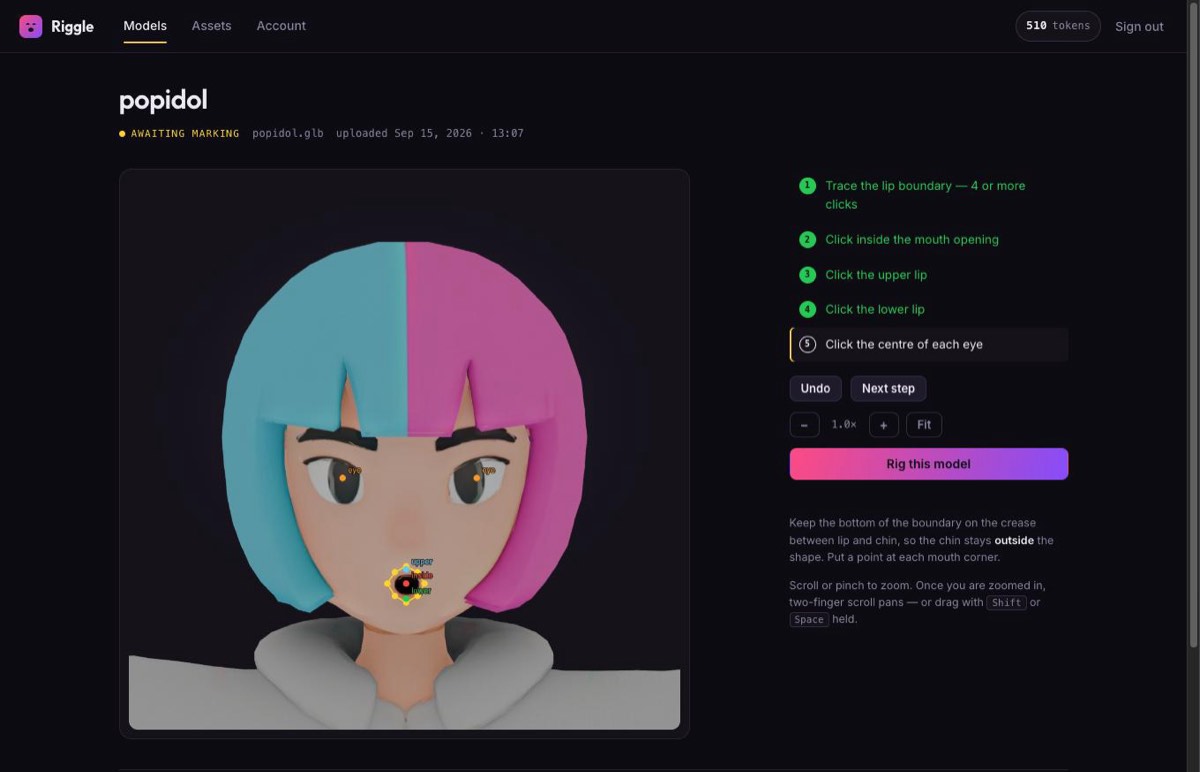
About a minute later you are watching your character speak, blink and react in a preview video. If the mouth does not move the way you want, run it again - as many times as you like, free.
What you get back
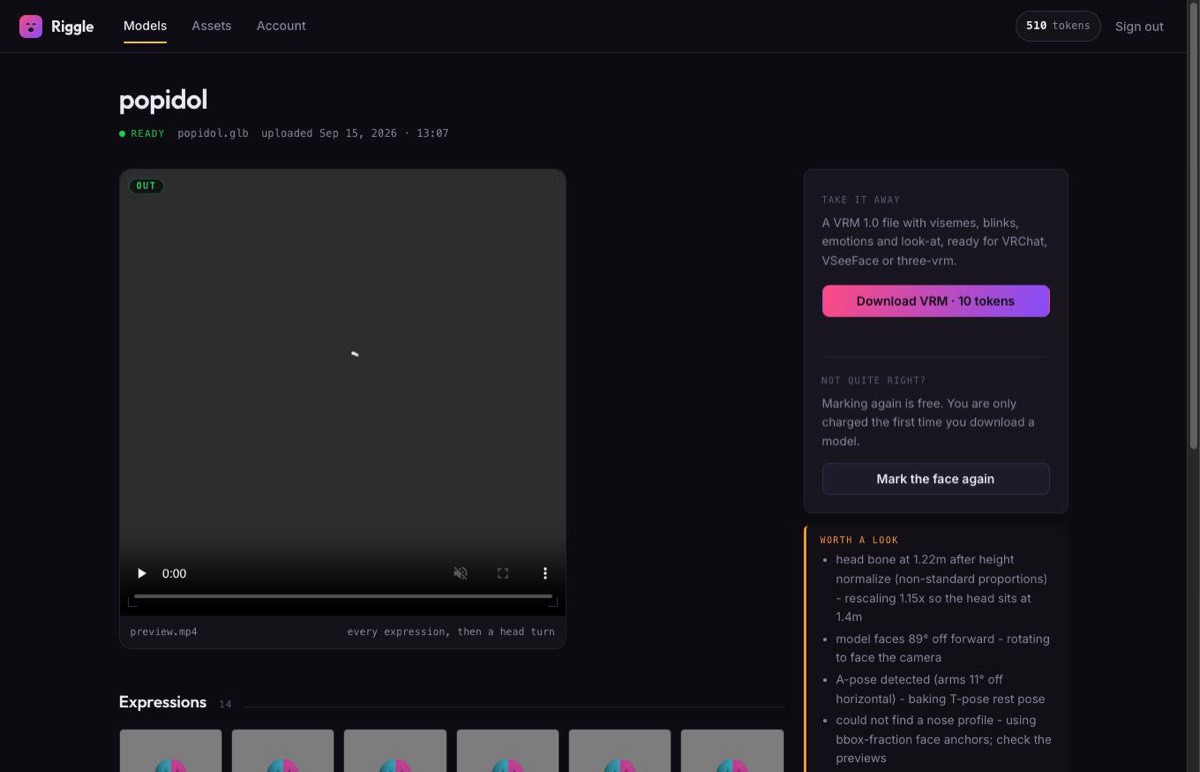
The download is a VRM 1.0 that talks, blinks and emotes: the five mouth shapes for lip sync (aa, ih, ee, oh, ou), blink with independent left and right winks, happy, angry and surprised, and eyes that follow when the model has eye bones. Before you pay anything, Riggle shows you a video of every expression playing on your avatar, so you see exactly what you are getting. It takes about a minute, and re-running is free.
What it does not do: on a model with no skeleton the avatar gets a body and limbs but no fingers, toes or jaw bone; it does not include the 52-shape ARKit "perfect sync" set - see why perfect sync is a different job; and it will not add teeth that were never modelled. A character whose mouth was generated closed still converts, with softer mouth movement.
Tripo, Meshy or a picture?
All three end in the same place. Meshy works the same way as Tripo: generate, rig if you like, export GLB, upload. If all you have is the picture and no Tripo account, Riggle can build the model from it for 15 tokens - see image to VRM. And if your GLB came from somewhere else entirely, the GLB to VRM guide covers what to check before you upload.
Bring your Tripo character to life
Upload the GLB, rigged or not, and watch every expression play back before you download. Your first model each month is free.
Rig my modelFAQ
Can Tripo make a VRM that talks?
Not on its own. A rigged Tripo model has a skeleton but no shapes for the mouth or eyes, so however it becomes a VRM, the face stays still. Riggle turns it into a VRM 1.0 that talks, blinks and emotes.
Do I need to rig the model in Tripo first?
No. Upload the GLB either way. With Tripo's rig, your avatar keeps it. Without it, Riggle adds a skeleton and you check it on a front view before the face is built.
Can I convert Tripo to VRM without Blender or Unity?
Yes. Export the GLB from Tripo, upload it to Riggle, watch the preview and download. Nothing to install, and Unity and UniVRM are not used.
Will it lip sync?
Yes. VTuber apps drive the VRM's five mouth shapes (aa, ih, ee, oh, ou) for lip sync, and Riggle's avatar has all five, plus blink, blinkLeft, blinkRight, happy, angry and surprised. It does not include the 52-shape ARKit perfect-sync set.
My Tripo character has a cartoon body and a huge head. Will it work?
Yes, as long as it is humanoid: two arms, two legs, a head on a neck. Stylised proportions are fine. Four-legged creatures are not - a VRM avatar has to be humanoid.
Can I stream or sell with it?
Riggle claims nothing over what you convert. Commercial use is governed by Tripo's licence for the generated model, which depends on your Tripo plan - check it before you monetise the character.
Will the VRM work in my VTuber app?
Riggle exports VRM 1.0. Apps built on three-vrm, and other software that reads VRM 1.0, load it as-is; some VTuber software still only reads the older VRM 0.x and will refuse a 1.0 file. Check which version your app supports before you plan a stream around it.
How much does it cost?
Uploading, re-running and every preview are free. Downloading a finished VRM costs 10 tokens, once per model, and the free plan includes 10 tokens a month - one finished avatar a month at no cost.